
The BreadcrumbList schema allows you to mark up the breadcrumbs on your site to generate breadcrumb rich snippets for your pages in the SERPs.

If you want to add breadcrumb List schema then first you need to install Schema & Structured Data for WP & AMP plugin.
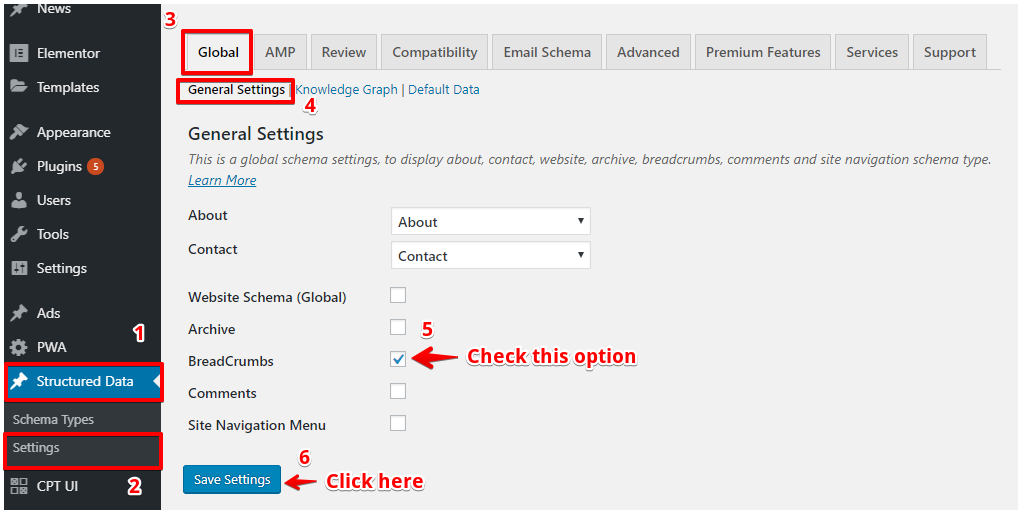
After installing you will find this option in WordPress Dashboard -> -> Structured Data -> Global -> General Settings -> Check “BreadCeumbs” option and then click on the “Save Changes” button like below the screenshot.
In the source code, JSON schema markup will be added like below the screenshot.

That’s it for this tutorial!
We hope it helped you. If you have any feedback or questions or do you want us to create compatibility for any other schema type which isn’t listed in our plugin then you can request us we will surely implement it as soon as possible.
Just contact us here and we are always available for you.
