
WPML Schema Compatibility extension is the number one solution get Multi-Currency in schema on Woocommerce Product and set placement based on languages for easy display of schema.
First, you need to purchase and install the WPML Schema Compatibility
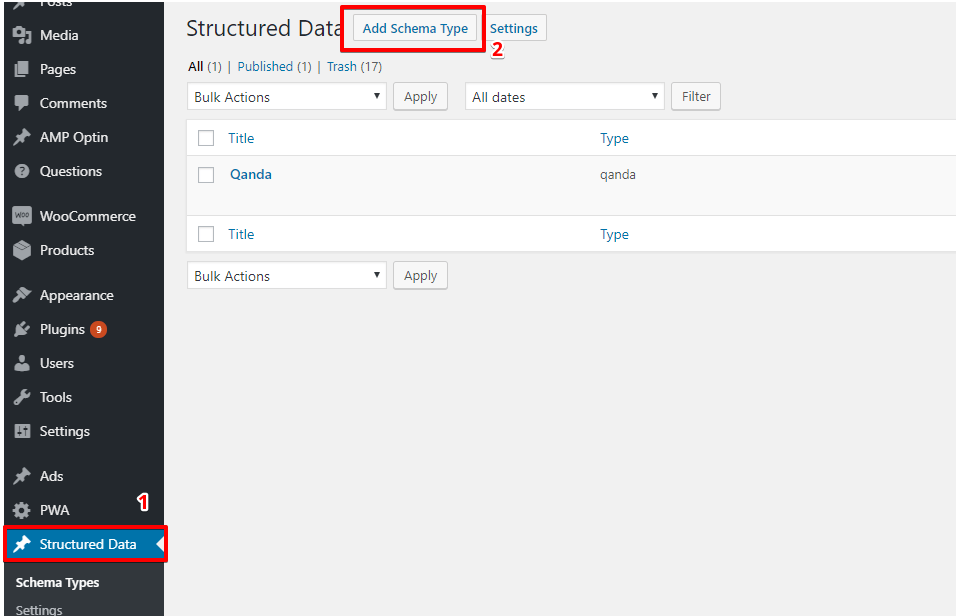
Step 1: Create a new Schema markup by going to WordPress dashboard -> Structure Data option panel->Click on Add Schema Types.
Step 2: In this option you need to select Product.

Step 3: In this section, you need to set the condition for the specific post or page or all posts where you want to show Schema.

Step 4: After selecting the placement click on next, congratulation! you’ve successfully set up the schema markup.

Step 5: After selecting the schema type, you need to set the Placement for the schema markup for a specific post/page or all posts where you want to show the schema markup.
For eg: If you want to show the Product schema only for Posts/page based on post languages then you need to set the placement like “WPML Language —> Equals to —> Select Language as per your requirement”

Step 6: Go to WordPress dashboard -> Structure Data -> Settings -> Compatibility -> Active
Step 7: Please refer to the below steps and checked the box of WPML in the Compatibility section of the options panel and save it.

How to generate price currency and other content based on WPML multilingual product.
You just need to setup product schema for this Click Here and then just enable WPML Schema Compatibility and the rest we will do internally.
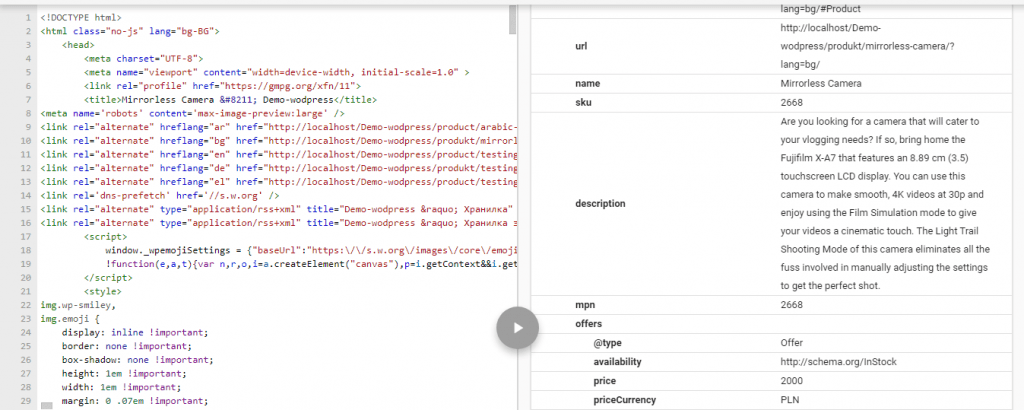
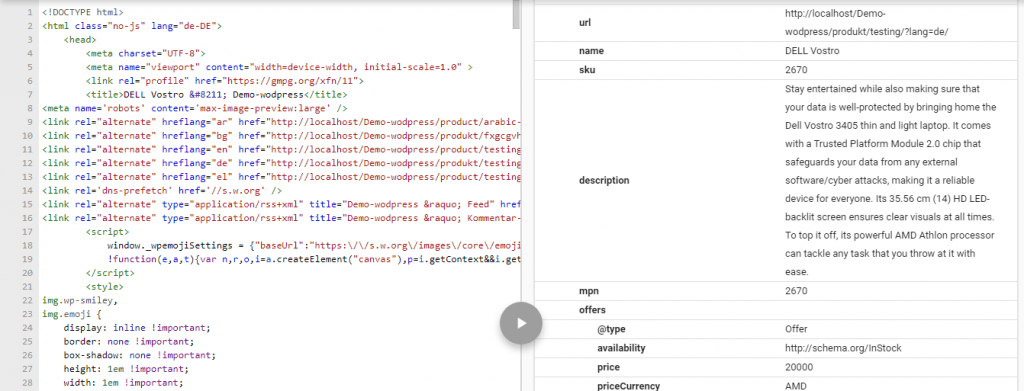
After that, you need to check the schema whether it’s validated or showing error in the Structure data testing tool.
Structure data testing tool: https://search.google.com/structured-data/testing-tool
Marked up pages are eligible to have a rich result displayed on the search results page like below the screenshot.

In the source code, JSON schema markup will be added like below the screenshot.

That’s it for this tutorial!
We hope it helped you. If you have any feedback or questions or do you want us to create compatibility for any other schema type which isn’t listed in our plugin then you can request us we will surely implement it as soon as possible.
Just contact us here and we are always available for you.
