
Polylang Compatibility For SASWP extension is the number one solution to translate your all SASWP static labels based on polylang post language. It adds all the static labels from SASWP to Polylang Strings Translations dashboard where the user can translate it.
You can integrate Polylang for WordPress integration in SASWP with the help of an extension called Polylang Compatibility For SASWP.
After downloading Polylang Compatibility For SASWP on your Desktop follows the below-given steps.
For example, I am creating a post in Belarusian language and translate all SASWP static labels based on polylang post language
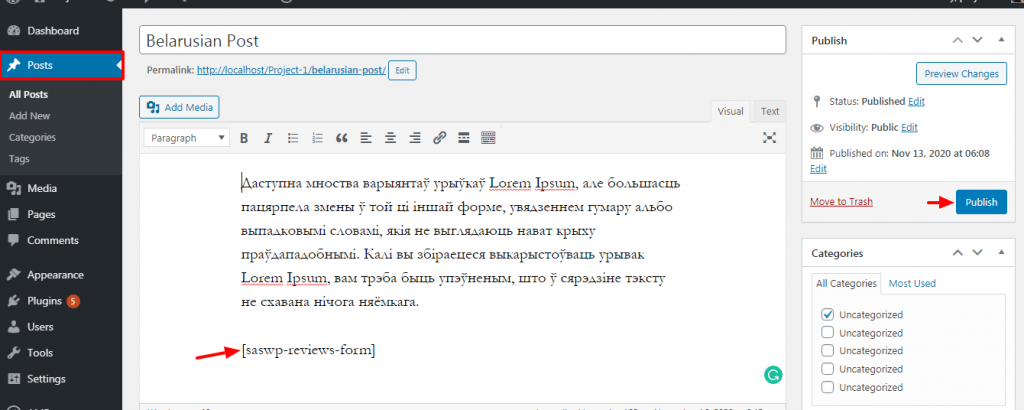
This is the Schema review form you need to translate based on polylang post language.

Go to Languages > Strings translations. You must add at least one language to access this setting.
Polylang allows you to translate user-defined strings such as the site title, the tagline, or the widget titles.
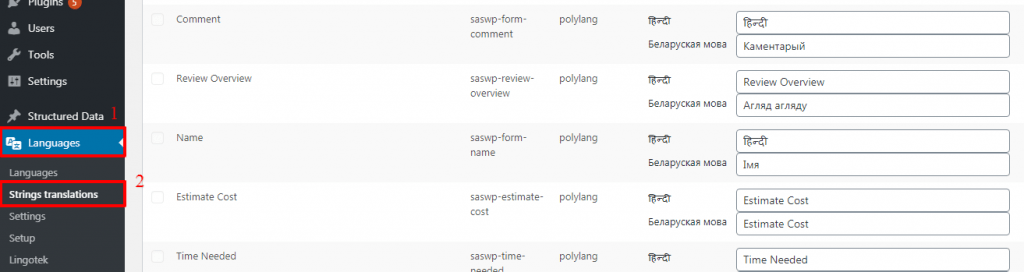
The string column contains the source string. You can translate it in all your languages thanks to the input fields in the translations column. Don’t forget to click on save changes.
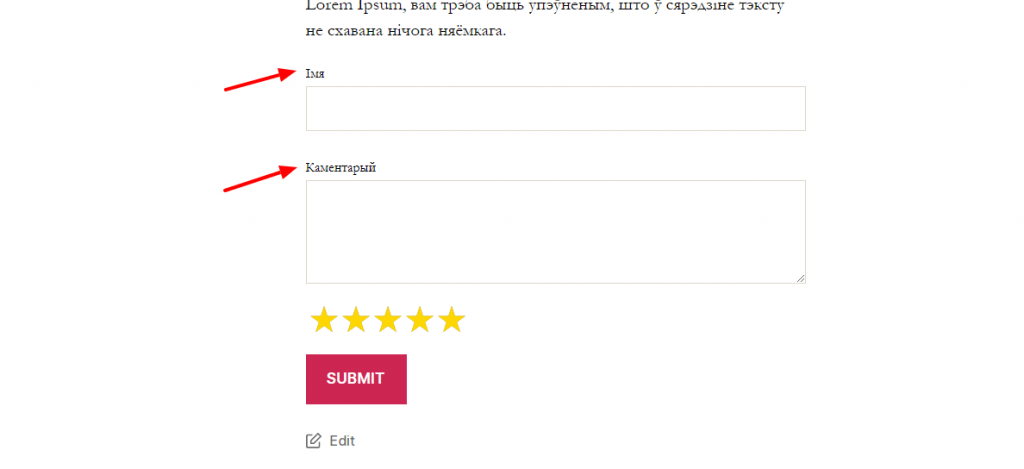
The output of SASWP to Polylang Strings Translations
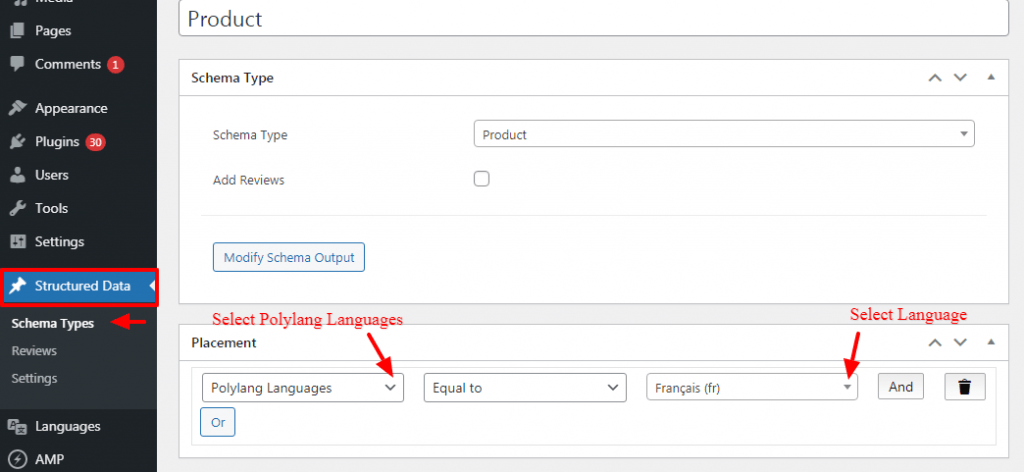
How to select schema based on Polylang languages types
Selecting the schema type, you need to set the Placement for the schema markup for a specific post/page or all posts where you want to show the schema markup.
For eg: If you want to show the Product schema only for Posts/page based on post languages then you need to set the placement like “Polylang Language —> Equals to —> Select Language as per your requirement”
That’s it for this tutorial!
We hope we’ve clear your doubts in case If you have any feedback or questions, Just contact us here and we are always available for you.
